
On paper, fleet management software looks simple. You’d expect to have a digital map, GPS integration, and a dashboard to monitor activity. So many companies don’t rush to build their own solution, but start with ready-made fleet tools.
In the end, it’s convenient, as SaaS vendors promise an out-of-the-box solution you can deploy without a long implementation cycle. But fleet management processes aren’t universal across companies. Every fleet operates under its own constraints and exceptions. SaaS platforms, on the other hand, are built for the average case. And the thing is that there’s no such thing as “average fleet”.
You can get the exact features you need only by building them. Yes, fleet management software development requires more effort upfront, but it pays off in the long run. With 16 years of experience providing custom logistics software development services, we’ve completed 364+ projects. So we know why generic tools fail to cover specific fleet workflows.
We’re not here to push you into custom development or promote one model over another. But we want to let you know about the trade-offs, so you can opt for a solution that fits your fleet operations.
TL;DR
- Fleet management software is an interconnected operational system where a single change, like a driver swap or delayed pickup, triggers a chain of adjustments across dispatch, compliance, customer communication, and reporting.
- SaaS tools work well early on, but become costly and limiting as your fleet scales.
- Custom fleet management software requires a higher upfront investment. Over time, however, that investment pays for itself.
- The right approach to fleet software development depends on your operational complexity and 3–5 year growth plans.
- If fleet workflows drive your competitive advantage, your software should be built around them, not around generic logic.
Fleet management software development is more complex than it looks
For the first few months, a SaaS fleet management system works well. But as your operation grows, you need another module, then a custom integration, then have it handle more users, vehicles, or shipments. And one day, the “standard plan” no longer covers what you need.
Operational costs rise as you scale, and what once felt cost-effective turns into an expensive solution you didn't sign up for. Why? Because fleet companies believe their operations are simple and standardized enough for an off-the-shelf tool to handle. They're not. Here's what gets underestimated:
| Complex dispatching | Constant exceptions | Regulations and compliance | Operational integrations | Multiple stakeholders |
|---|---|---|---|---|
|
|
|
|
|
By the time you see the full picture, you've already committed to a solution that doesn't fit. And each workaround adds to the bill. To avoid a situation like that, we recommend building a fleet management solution that matches your operation from the start.
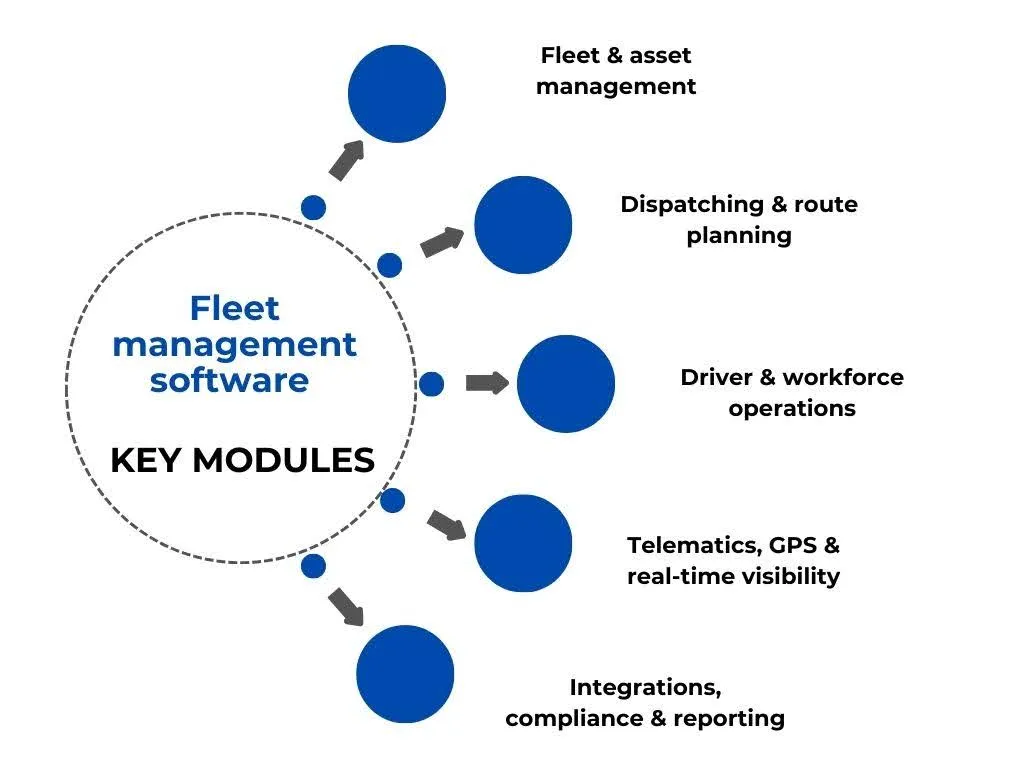
We can't tell you which features should be in your software, because we don’t know your operations. But we can show you the modules that form the backbone of most fleet management systems. Use this as a starting point to identify what's essential for you.
What goes into fleet management software
You shouldn’t take fleet management as one or several tasks. It’s a connected system of workflows. When something changes in the real world, like a delay, breakdown, reassignment, or urgent pickup, the system must update dispatching, ETAs, compliance, reporting, and customer communication.
To handle this, fleet management applications are built around several interconnected modules, each focused on a specific operational area.
Fleet & asset management
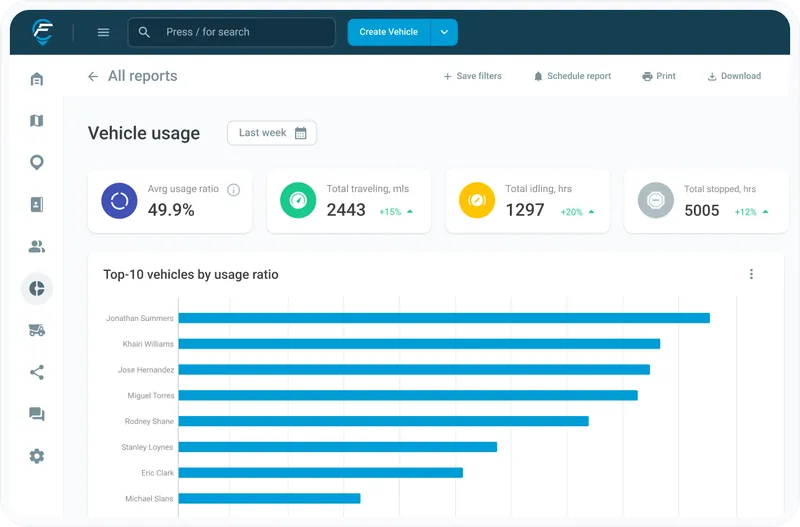
This module is the system's foundation. It creates a live inventory of every vehicle, trailer, and piece of equipment, showing location, odometer readings, fuel levels, last inspection date, upcoming maintenance, and current availability.
Need to know if a refrigerated truck is free for a cold chain delivery? The system answers that before you have to ask. It also tells you which vehicles are overdue for service, which are sitting idle, and which are costing more to maintain than they're worth.
Dispatching & route planning
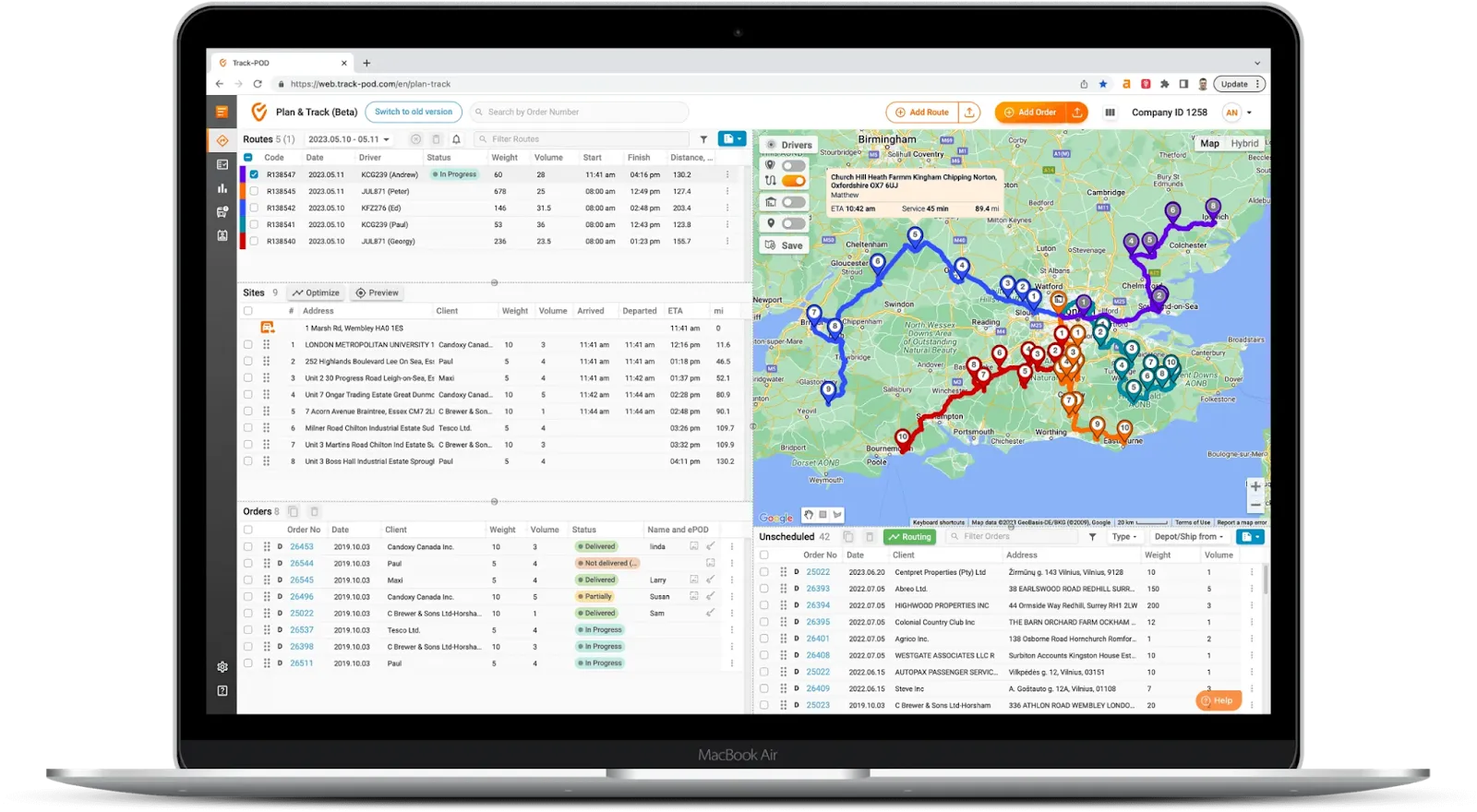
Between orders coming in, drivers clocking in, and customer time windows, there are hundreds of ways to build routes. And most of them are inefficient. This module helps calculate optimal assignments based on vehicle type, load requirements, and driver availability.
When something changes mid-day, the system replans affected routes automatically. As a result, dispatchers see updated routes instantly, and drivers receive new instructions on their devices. Strong dispatching helps keep the entire schedule aligned across teams.
Driver & workforce operations
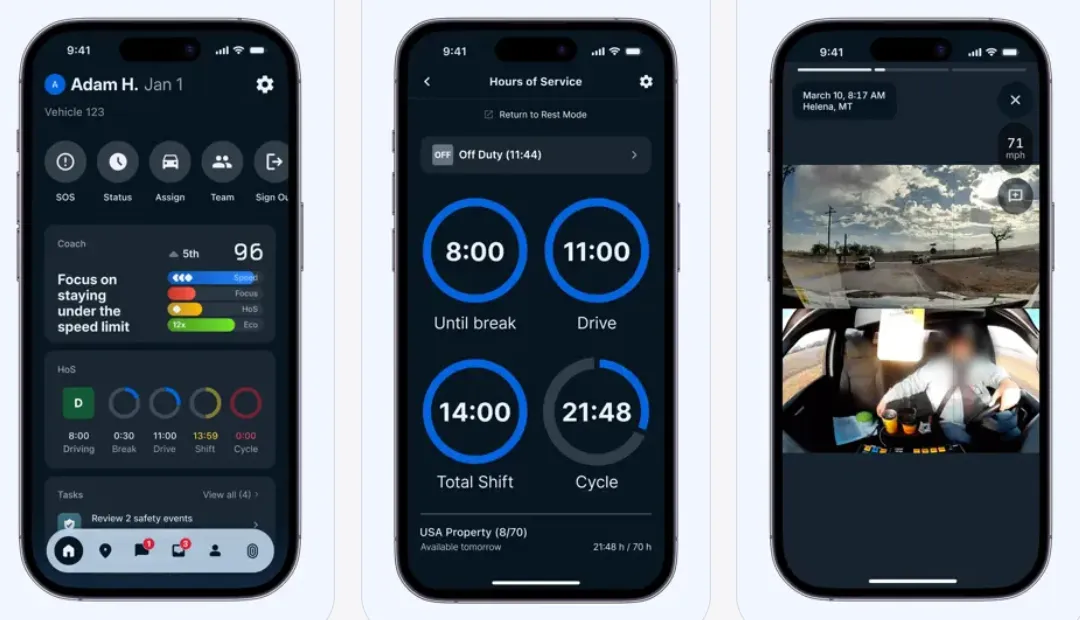
Drivers have schedules, rules, and constraints, just like any employee. This module manages driver profiles, availability, shifts, certifications, assigned vehicles, and replacement logic. It also supports communication, task updates, and time logs, so teams can track working hours, breaks, overtime, and compliance-related records without relying on manual reporting.
Because drivers rarely sit at a desk, this functionality often lives in a mobile app, which is why fleet management app development almost always includes a driver-facing build alongside the dispatcher web platform. The app becomes their control center on the road, where they receive assignments, update statuses, log hours, report issues, and communicate with dispatch in real time.
Telematics, GPS & real-time visibility
GPS trackers, OBD-II devices, fuel and temperature sensors, and dash cams stream live data into the fleet management system. This data is then translated into vehicle location, route progress, stops, idle time, fuel usage, driving behavior, and sensor alerts.
As a result, dispatchers respond faster to disruptions (or even prevent them) and generate accurate ETAs. Over time, telematics also becomes a foundation for safety monitoring, fraud prevention, and performance analytics based on real driving data.
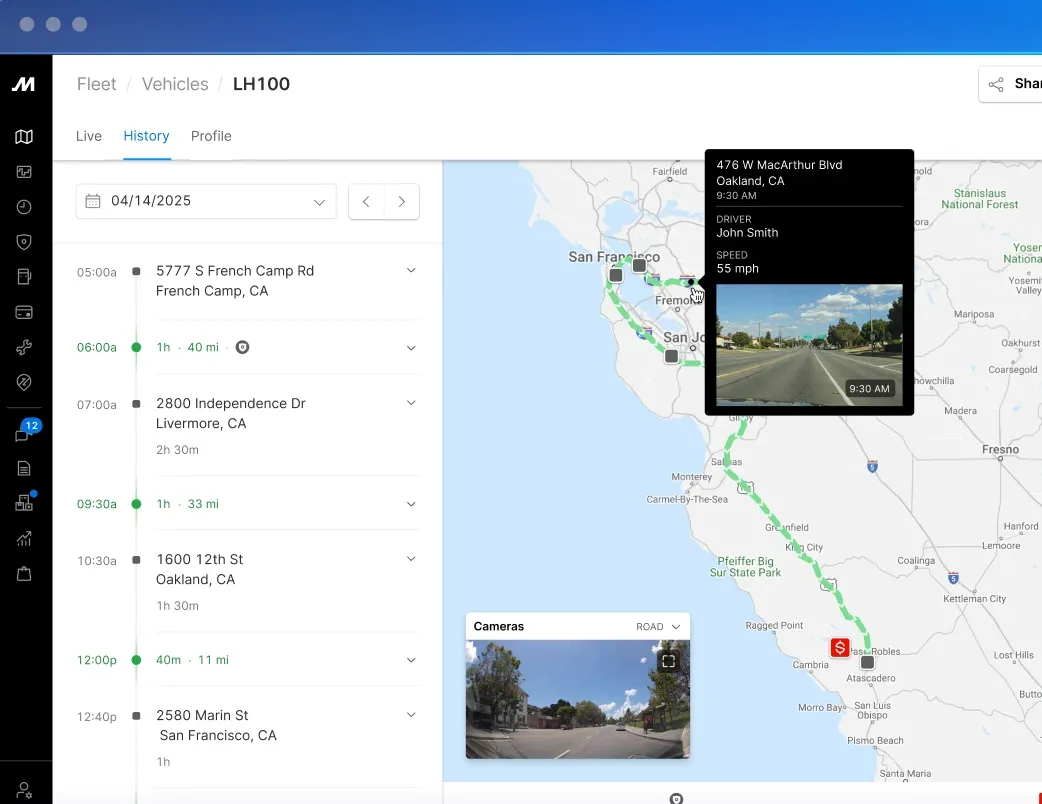
Integrations, compliance & reporting
Fleet systems don’t stand alone. Whatever straightforward your fleet management processes are, you need integrations. With ERP, TMS, WMS, accounting, fuel cards, telematics providers, and customer portals, you name it. The same applies to compliance and reporting. Regulations require accurate driver hours, safety checks, documents, and audit trails. Reporting allows fleet managers to bring it all together and turn operational data into KPIs.
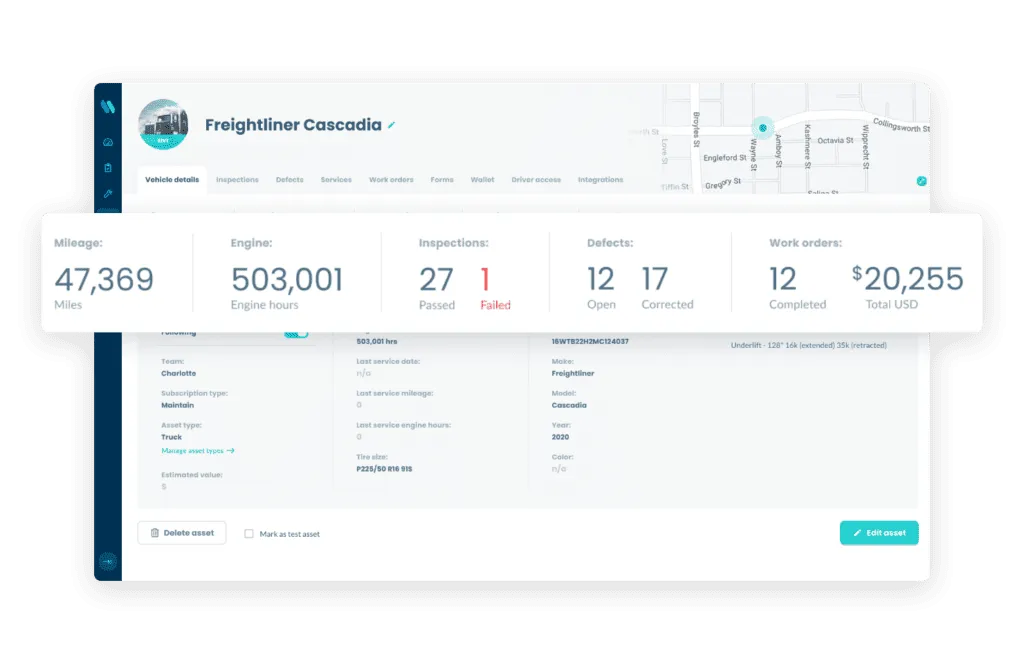
There's more to fleet management software than these five modules, but even this list shows that fleet management is not just a "map on a screen.", but a network of interconnected processes. Dispatching depends on live tracking, execution updates affect ETAs, and integrations feed reporting and billing.
When you look online, many fleet management tools already claim to cover it all. That's why it makes sense to take a look at out-of-the-box solutions and see if that holds up.
A brief rundown of ready-made fleet tools
Should you reject SaaS by default? No, SaaS will do if you’re not looking to build a custom solution. But better take your time to assess ready-made tools before committing. Let’s look at what fleet management platforms can support in your operations and where they fall short.
Don’t worry: we won’t provide you with deep-dive descriptions of 10+ fleet management platforms. It’s a quick overview to see what's out there.
Samsara
Samsara is a full-stack fleet operations platform that combines GPS tracking, AI-powered dashcams, driver safety tools, and ELD compliance in a single system. It claims an average 8X ROI, citing IDC research on savings across fuel, maintenance, and insurance costs.
Best for: Fleets of all sizes across transportation, logistics, and field services that need real-time visibility and data-driven safety management. Works great for businesses that prioritize driver accountability.
Considerations: Samsara requires a three-year minimum contract for small businesses.
Pricing: The company offers several packages tailored to different needs, but pricing details are not publicly available.
Motive
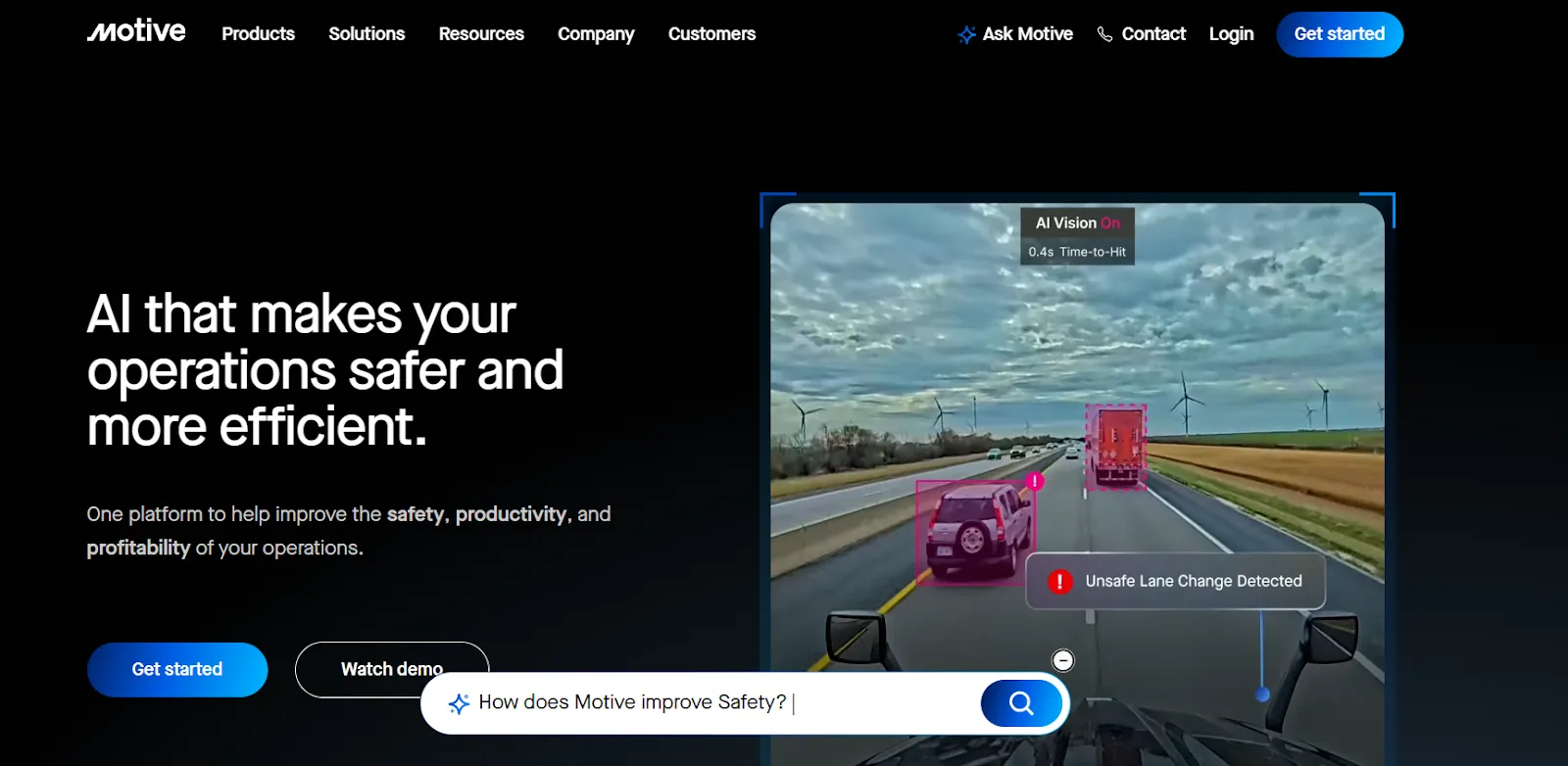
Motive has evolved from an ELD-focused trucking tool into a comprehensive fleet management platform with a strong emphasis on driver safety. The platform pairs AI dashcam footage with human review, which reduces false positives and makes safety coaching more credible.
Best for: Trucking companies, delivery fleets, and logistics operations where driver accountability, ELD compliance, and mileage tracking are top priorities.
Considerations: Around 70% of Capterra users are not satisfied with Motive's cost, namely, limited refunds and hidden fees.
Pricing: It’s not easy to find clear pricing information on the official website. But they offer a savings calculator that estimates how much you could potentially save by switching to Motive.
Fleetio
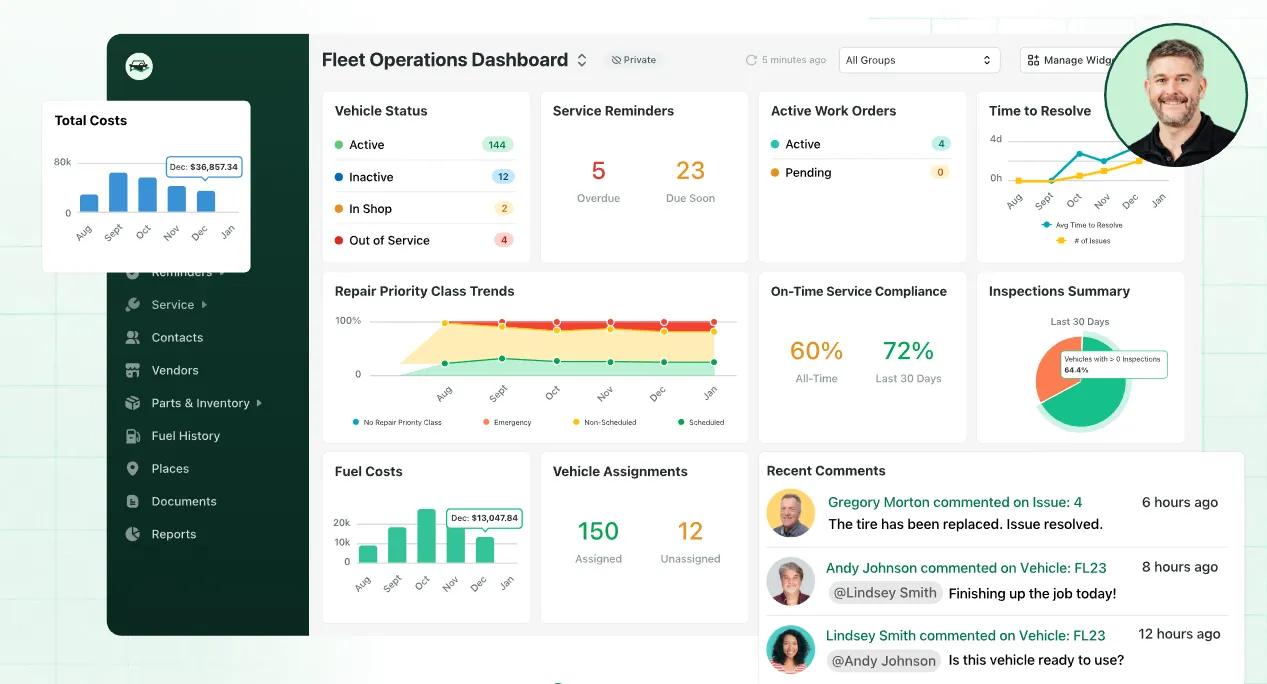
Fleetio is a cloud-based fleet management platform built around maintenance and operations. It centralizes vehicles, drivers, and maintenance schedules, automates reminders, and provides cost history and utilization reports.
Best for: Small to mid-sized fleets focused on maintenance management. The essential plan limits you to 100 vehicles, making it less suited for large enterprise fleets.
Considerations: Built-in telematics may require third-party integrations.
Pricing: Feetio offers three tiers: Essential at $4/vehicle/month, Professional at $7, and Premium at $10 (all billed annually). Minimum of 5 vehicles required.
Only one of the three fleet management platforms we reviewed makes pricing visible without extra steps. There’s no need to contact sales or request a demo to see that Fleetio starts at $4 per vehicle per month. Looks very appealing, doesn’t it? Now let’s see what that price means in the long run.
SaaS vs. custom: What does it cost over time?
Most conversations about fleet software start with the monthly fee. You pay a subscription, avoid upfront development costs, and get started quickly. But as your fleet grows, so does the bill.
Let’s look at a real-world example. A logistics company from Poland has recently approached Stfalcon. They operate a fleet of 30 vehicles and currently use a SaaS platform that costs €50 per vehicle per month. At first glance, it sounds reasonable.
30 vehicles × €50 = €1,500 per month
€1,500 × 12 = €18,000 per year
Over time, the numbers compound:
3 years → €54,000
5 years → €90,000
In real logistics operations, a base SaaS plan rarely covers the entire process. Very often, companies start with one core tool, and then gradually add modules. Formally, it looks like a single platform. But in practice, each module and capability comes with additional cost.
Read more about comparing SaaS fees against custom freight broker software development and finding your 3-year breakeven point.
Fleet management software development: Pay once, scale on your terms
Custom software works the opposite way. You do need to invest upfront. But once it's built, you own it, and adding 50 more vehicles doesn't change your bill. When you ask how much it costs, you probably expect a clear number. But it depends on numerous factors like complexity, integrations, number of users, and so on.
That said, we can share approximate ranges based on our experience at Stfalcon.
A basic fleet management system, including real-time tracking, route history, and manual dispatch functionality, usually falls somewhere between $20,000 and $50,000. When you move to a mid-level solution with a dedicated driver app, automated dispatch logic, fuel tracking, and maintenance reminders, the budget might range from $40,000 to $80,000.
For more advanced systems that cover IoT device integration, AI/ML predictions, cross-system automation, and custom compliance workflows, the investment can reach $200,000.
Those sums may not look as attractive as $50 per vehicle per month. But as the business grows, SaaS costs scale automatically. And at some point, you look at €90,000 spent over five years (without any add-ons, only the subscription cost) and realize that for a comparable investment, you could have built your own system tailored to your workflows with all integrations required.
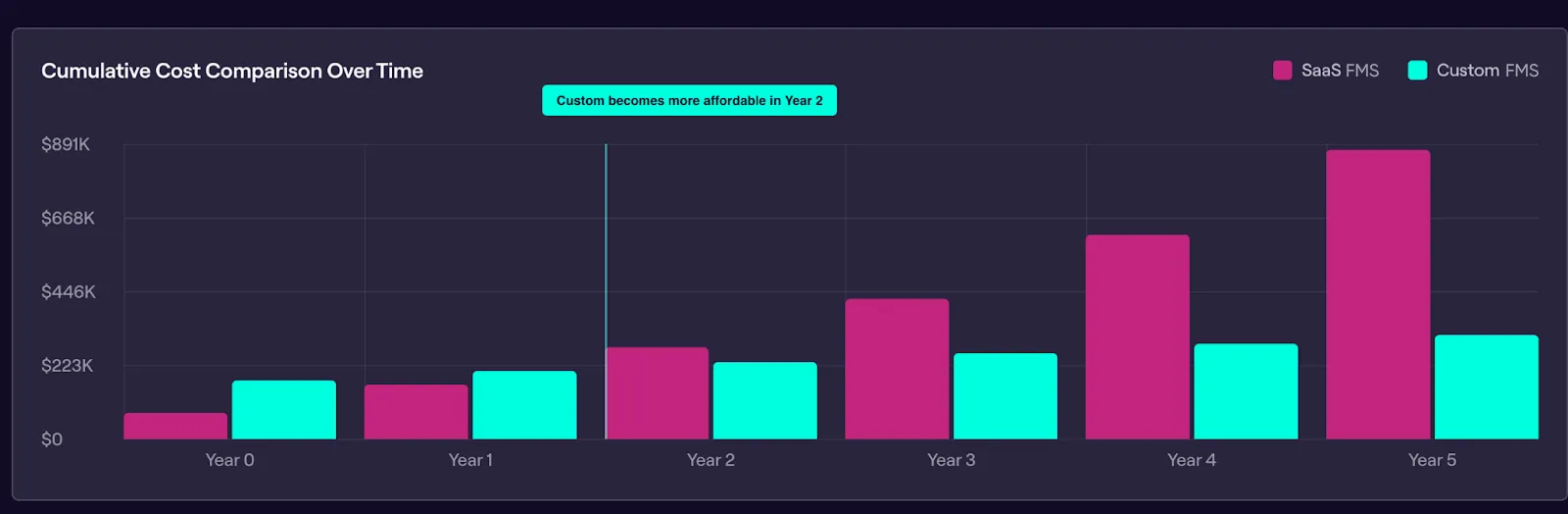
To help you understand whether you need custom development, we've built a SaaS vs custom calculator. No sales calls required. Input your requirements and see how much SaaS is likely to cost over the next 3–5 years, and at what point custom development becomes worthwhile.
When custom development makes sense for your operation, the next question is how to build it right.
Read more about when building custom fleet management software beats SaaS on total cost.
How to approach fleet management app development that fits your ops
For more than 16 years, we’ve been developing transportation management solutions for logistics providers, bus operators, and delivery companies. Over that time, we’ve built a proven approach to projects and custom solutions for logistics.
Here’s how we structure the fleet management software development process at Stfalcon.
Kick off with operational discovery
We start by mapping how work flows through your company. We watch dispatchers build routes and handle exceptions. We see how drivers receive instructions and how customer commitments move from order entry to delivery confirmation.
We pay special attention to the gaps: manual workarounds that compensate for system limitations or data that moves between platforms, with pieces getting lost.
At this stage, we need to understand your operational reality. As an outcome, you get a clear scope and roadmap before a single line of code is written.
Design around real workflows
When we understand how your operation runs, we design the software to match. It covers:
Workflow mapping
We document the actual sequence of events from order intake to delivery completion, including all the exceptions and edge cases that happen regularly.
Role-based design
Dispatchers, drivers, and managers each get interfaces built for their actual work. Dispatchers usually see drag-and-drop route planners with map overlays. Drivers get mobile-first apps with turn-by-turn nav and task checklists.
Integration planning
We identify every external system the fleet management system needs to communicate with and how data should flow between them.
Plan and build for scale from day one
Before writing code, we plan the technical foundation. Good architecture means the system handling 100 vehicles today can scale to 1,000 without architectural changes.
Our key architectural decisions include:
Microservice architecture → the system is built in independent services, so you can update one without breaking others.
API-first design → every function is accessible through APIs, which makes integrations straightforward and future-proof.
Scalability planning → we design for the fleet size and transaction volume you'll have in 3-5 years, not just today.
Cloud infrastructure → we choose hosting, database, and service architecture that supports reliability and growth.
We use pre-built logistics modules to speed up development and reduce costs. Modules like tracking dashboards or route planners usually appear within the first few sprints. This way, the client’s team can validate real workflows and give feedback when changes are still easy.
Connect your operational stack
Fleet management software sits at the center of your operations and must communicate with everything else you run. Here are the common integrations we build:
Mapping & navigation services: Google Maps or Mapbox for real-time traffic data, route optimization, ETA calculations, and turn-by-turn navigation inside driver apps.
GPS trackers & telematics devices: Direct integration with hardware vendors to ingest live location data, engine diagnostics, fuel usage, and driver behavior events into your platform.
Other business systems: Developing APIs or utilizing existing ones to integrate with your ERP, TMS, fuel card systems, and other critical internal platforms.
Test under real operational pressure
Along with unit and integration testing, we test the system under real operational stress, like peak dispatch volumes, mid-day route changes, driver replacements, and simultaneous updates across teams. We also involve key users in UAT, so they can validate the software against their workflows before anything goes live.
Deploy and support
Deployment happens on your terms. We can deploy to your preferred cloud provider, like AWS, Azure, Google Cloud, or assist with on-premises installation if your infrastructure requires it. During initial rollout, we provide user training, documentation, and hands-on troubleshooting.
Next, we keep the system running. This includes bug fixes, performance optimization, updates for external APIs and telematics hardware integrations, and feature additions as your operation grows.
We don’t claim to be the only or the best fleet management software development company ever. You can choose from hundreds of vendors. But make sure a chosen partner understands the logistics industry.
Get fleet management application development around your transportation complexity
At Stfalcon, we understand dispatch complexity, regulatory environments, and other related things, because we’ve built mission-critical solutions used by millions of riders, drivers, and couriers. Here are some of them:
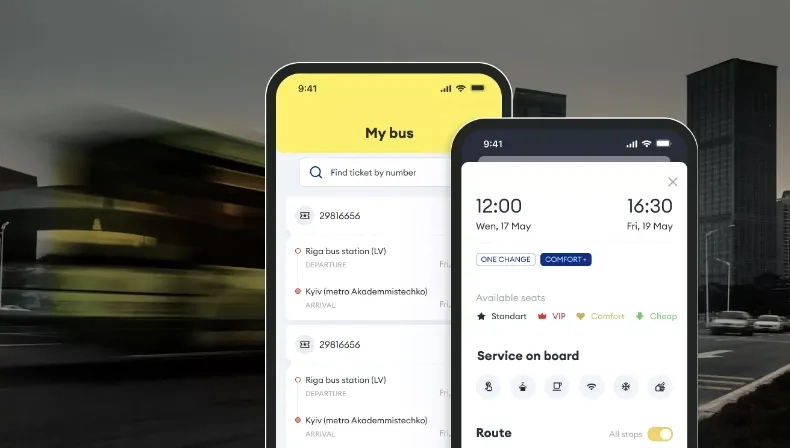
Bus ticket booking app for the leading European coach operator
When Ecolines approached us, their existing mobile application struggled with performance issues and low conversion rates. We audited the UI/UX and redesigned the app, which helped improve customer experience, double conversions, and boost sales.
 Read the full case study
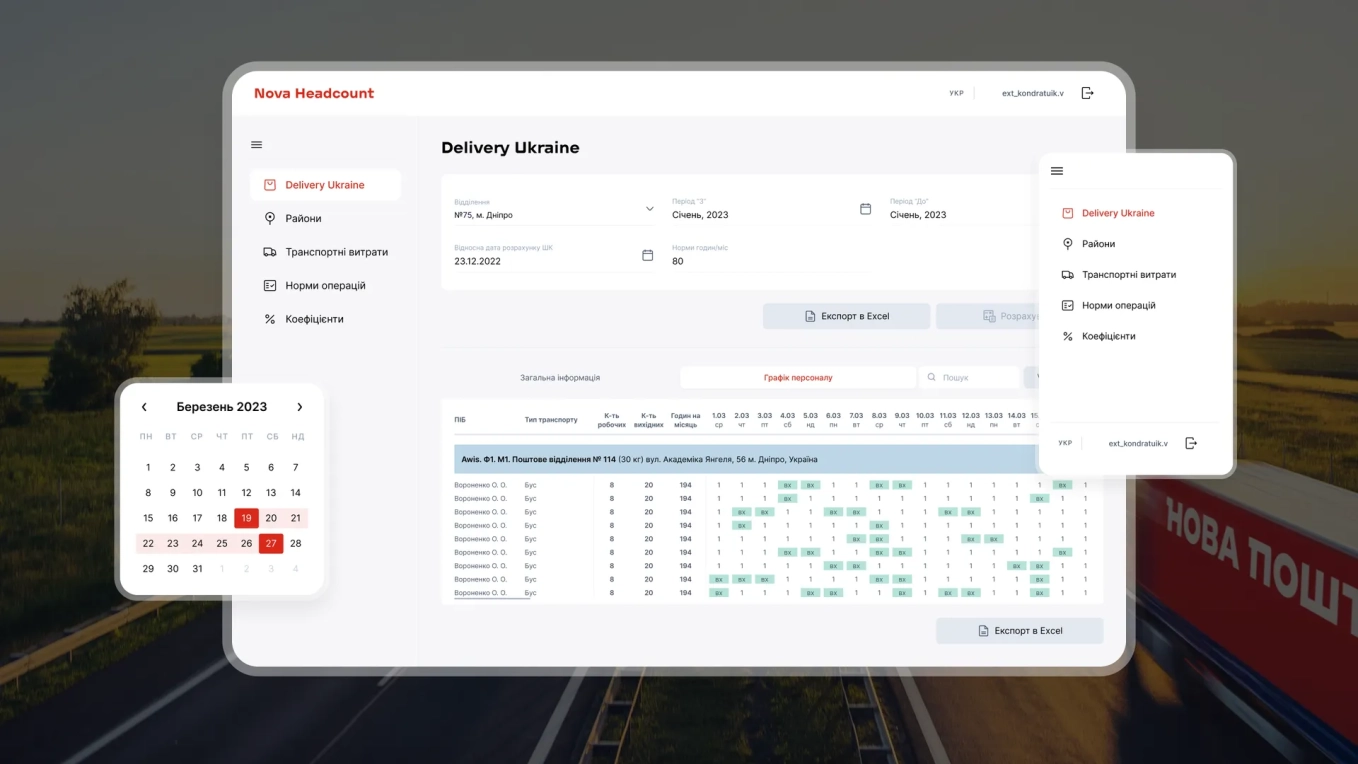
Automated staff scheduling system for Ukraine’s biggest postal company
Nova Post is Ukraine’s postal operator with more than 38,000 employees nationwide. We helped them develop a staff scheduling system that automates 99% of manual work, cutting shift scheduling time to minutes instead of hours.
 Read the full case study

If your fleet is becoming more strategic to your business, your software should reflect that reality. We have domain expertise to build such a system. And here is the foundation we bring to every project:
- A team deeply embedded in logistics and transportation challenges
- Pre-built logistics modules that accelerate delivery and cut costs
- AI-powered development workflows that reduce time to production
- Scalable, cloud-native architectures built for heavy load
Planning to modernize, replace legacy tools, or scale your fleet?
Let’s talk and define your next move.
Alina
Client Manager

Have questions on fleet management software development?
Can fleet management software integrate with existing systems like ERP, GPS, or telematics platforms?
Yes, integration with ERP systems, GPS hardware, ELD devices, and fuel card platforms is a core part of most projects. Our development team can work with both modern APIs and older legacy systems to ensure seamless data flow and operational continuity.
Which platforms are best suited for fleet management software: web, iOS, Android, or a combination?
A combination is usually best. Fleet management application development typically spans both: web dashboards for dispatchers and managers, plus iOS and Android apps that keep drivers connected in the field. A mobile-first approach enhances usability on the go, especially for driver-focused features.
How can fleet management software support real-time vehicle tracking and data accuracy?
Real-time vehicle tracking is achieved through integration with GPS hardware and telematics devices installed in vehicles. These devices continuously send location and vehicle data to the system, which processes and displays it in live dashboards.
To maintain data accuracy, we rely on reliable hardware, stable connectivity whenever possible, and built-in validation logic inside the software. It helps detect inconsistencies, filter out errors, and make sure the information you see reflects what’s happening on the road.